Saturday, October 27, 2007

Foundation PHP for Flash

The image “http://www.friendsofed.com/img/cover/1903450160.jpg” cannot be displayed, because it contains errors.

PHP is a powerful, easy-to-learn scripting language, used in around 7,000,000 domains. Multi-platform and open source, when partnered with Flash it can be used to create beautiful, engaging and reactive web experiences.When combined with the open source MySQL database solution, PHP is your fast track to supplying your Flash movies with real-time dynamic content: rich functionality, elegant simplicity, the beauty of Flash, with the brains of PHP.

What this book covers:
The Foundation series aims to take you through the basics and beyond, feeding you the information and the inspiration you need to create innovative, interactive web applications.

By the midpoint of this book, you’ll be comfortable enough with the PHP language to set your sights on database integration and high-end real-world applications. This book will guide you there with down-to-earth examples, practical tutorials and a designer-friendly approach.

The basics of PHP as a scripting language, including the similarities and differences between PHP and ActionScript

Dynamic Data and Flash

The MySQL database option; sending your Flash movies oribital with fast and easy data handling

Relevant and reusable platform-independent Flash and PHP case studies to accompany each step

In depth breakout of three full-size applications to show you the way ahead

The book is also supported by its own site at phpforflash.com, with free source files, additional articles and working demonstrations including further material on the reader support forum, which itself forms one of the self-build tutorials in the book.

Link:


http://rapidshare.com/files/3754886/Foundation_PHP_for_Flash.rar

Thursday, October 25, 2007


RS Download link 1

If the first link does not work try the second link below or vice versa.

RS Download link 2

Wednesday, October 24, 2007

How to Double Firefox Speed

Now here are some Tips&Tricks that can help you double the speed of Firefox.

1. Type about:config in the address bar and then press Enter.

2. In the filter search bar type network.http.pipelining. Be sure the value field is set true,if not double-click to set true. HTTP is the application-layer protocol that most web pages are transferred with. In HTTP 1.1, multiple requests can be sent before any responses are received. This is known as pipelining. Pipelining reduces page loading times, but not all servers support it.

3. Go back to the filter search bar and type network.http.pipelining.maxrequests. Double-click this option and set its value to 8.

4. In the filter search bar and type network.http.proxy.pipelining. Once opened doubleclick on it and set it to true.

5. In IPv6-capable DNS servers, an IPv4 address may be returned when an IPv6 address is requested. It is possible for Mozilla to recover from this misinformation, but a significant delay is introduced.
Type network.dns.disableIPv6 in the filter search bar and set this option to true by double clicking on it.

6. CONTENT INTERRUPT PARSING
This preference controls if the application will interrupt parsing a page to respond to UI events. It does not exist by default. Right-click (Apple users ctrl-click) anywhere in the about:config window, select New and then Boolean from the pop-up menu. Then:
A. Enter content.interrupt.parsing in the New boolean value pop-up window and click OK
B. When prompted to choose the value for the new boolean, select true and click OK.

7. Rather than wait until a page has completely downloaded to display it to the user, Mozilla applications will regularly render what has been received to that point. This option controls the maximum amount of time the application will be unresponsive while rendering pages. Right-click (Apple users ctrl-click) anywhere in the about:config window, select New and then Integer from the pop-up menu.
A. Enter content.max.tokenizing.time in the New integer value pop-up window and click OK
B. You will be prompted to enter a value. Enter 2250000 and click OK.

8. CONTENT NOTIFY INTERVAL
This option sets the minimum amount of time to wait between reflows. Right-click (Apple users ctrl-click) anywhere in the about:config window, select New and then Integer from the pop-up menu.
A. Type content.notify.interval in the New integer value pop-up window and click OK.
B. You will be prompted to enter a value. Enter 750000 and click OK.

9. CONTENT NOTIFY ONTIMER
A. This option sets if to reflow pages at an interval any higher than that specified by content.notify.interval. Right-click (Apple users ctrl-click) anywhere in the about:config window and select New and then Boolean from the pop-up menu.
B. Type content.notify.ontimer in the New boolean value pop-up window and click OK.
C. You will be prompted to choose the value for the new boolean. Select true and click OK.

10. Notify Backoffcount
This option controls the maximum number of times the content will do timer-based reflows. After this number has been reached, the page will only reflow once it is finished downloading. Right-click (Apple users ctrl-click) anywhere in the about:config window and select New and then Integer from the pop-up menu.
A. Enter content.notify.backoffcount in the New integer value pop-up window and click OK.
B. You will be prompted to enter a value. Enter 5 and click OK.

11. CONTENT SWITCH THRESHOLD
You can interact with a loading page when content.interrupt.parsing is set to true. When a page is loading, the application has two modes: a high frequency interrupt mode and a low frequency interrupt mode. The first one interrupts the parser more frequently to allow for greater UI responsiveness during page load.
The low frequency interrupt mode interrupts the parser less frequently to allow for quicker page load. The application enters high frequency interrupt mode when you move the mouse or type on the keyboard and switch back to low frequency mode when you had no activity for a certain amount of time. This preference controls that amount of time. Right-click (Apple users ctrl-click) anywhere in the about:config window and select New and then Integer from the pop-up menu.
A. Enter content.switch.threshold in the New integer value pop-up window and click OK.
B. You will be prompted to enter a value. Enter 750000 and click OK.

12. NGLAYOUT INITIALPAINT DELAY
Mozilla applications render web pages incrementally, they display what’s been received
of a page before the entire page has been downloaded. Since the start of a web page
normally doesn’t have much useful information to display, Mozilla applications will wait
a short interval before first rendering a page. This preference controls that interval. Rightclick (Apple users ctrl-click) anywhere in the about:config window and select New and then Integer from the pop-up menu.
A. Enter nglayout.initialpaint.delay in the New integer value pop-up window and click OK.
B. You will be prompted to enter a value. Enter 0 and click OK.

-------------------

AutoCAD Professional Tips and Techniques - Sybex


AutoCAD Professional Tips and Techniques - Sybex

Two AutoCAD experts distill years of combined experience into hundreds of the most useful AutoCAD tips and techniques you'll ever find. Fun, easy to read, and packed with information, this beautiful guide equips you with inside tricks on critical AutoCAD features and functions--all in fast, easy-to-digest nuggets. Discover keyboard shortcuts and little-known system variables or punch up your style with expert tips on visualizing, publishing, and 3D modeling. No matter what your experience level, you're sure to increase productivity and master professional-level techniques with this lively, practical book.
* Tweak Windows(r) and AutoCAD to get the UI you want
* Handle layers and select objects like a pro
* Create dimensions, hatch patterns, and text correctly the first time
* Comprehend the complexities of Sheet Sets and Paperspace
* Unleash the power of dynamic blocks
* Get visualization tips from the experts
* Plot or publish in the background while you keep drawing
* Take control of AutoCAD with customization techniques
* Master the friendly new world of 3D in AutoCAD 2007

RS download link
----------

AutoCAD Steel Member Blocks

Member sizes which was drawn directly from steel manuals and fabrication catalogs.

DOWNLOAD LINK
RS download

Google SketchUp Pro v6.0.515


What is Google SketchUp?

Google SketchUp is a deceptively simple, amazingly powerful tool for creating, viewing, and modifying 3D ideas quickly and easily. Google SketchUp was developed to combine the elegance and spontaneity of pencil sketching with the speed and flexibility of today's digital media.

Developed for the conceptual stages of design, this powerful yet easy-to-learn software allows for quick and easy 3D form creation, the result is an interface that supports a dynamic, creative exploration of 3D form, material and light.

Google SketchUp combines a compact yet robust tool-set with an intelligent guidance system that streamlines the 3D drawing process.

Who uses SketchUp?

Fans of SketchUp include everyone from industry giants to industry-giants-in-the-making. As the 'Switzerland' of design software, we're neutral with respect to file formats and work hard to get along with everybody. In keeping with this, we've designed SketchUp to be compatible with most other modeling, image editing, and illustration applications that designers use. From architects to movie and set designers, from game developers to graphic artists, our users rely on SketchUp to help make their design ideas come to life.

New Features

And now Google SketchUp Pro 6 lets you create 3D models from photographs, match existing models to background photos, render sketchy effects and fog and mark your models with 3D text, logos and watermarks. With the new Styles palette, you have easy access to a collection of display settings, which you can save and share. You also have greater control, with new features like enhanced modifier keys that let you perform operations like “copy” while you move, rotate or push/pull. If you use Google Earth, Google SketchUp allows you to place your models using real-world coordinates and share them with the world using the 3D Warehouse. Learn more about the new features available in Google SketchUp 6.

*Note: LayOut features of Google SketchUp Pro 6 are currently in beta. For information on known issues read the Google SketchUp 6 Release Notes.

Improvements

In addition to new features in Google SketchUp Pro 6, we have made performance improvements to the existing SketchUp features. Check out the complete list of improvements.

You need Google SketchUp Pro 6 if you want to:
Export 3D models to CAD and other 3D formats
Export 2D vector images
Create compelling multi-page design documents and presentations
Arrange and annotate multiple scaled images on a single-page
Create customized elements and symbols for your presentations using a 2D Vector graphics toolset
Create, document and present your designs using a single software package
Email professional technical support


Minimum Hardware Requirements with Microsoft Windows® 2000, XP Home or Professional Editions:
600 MHz Pentium® III processor
128 MB RAM
128 MB of available hard-disk space

Minimum Hardware Requirements with Microsoft Windows® Vista:
800 MHz processor for Vista Home Basic. 1 GHz processor on other Vista versions.
512 MB RAM for Vista Home Basic. 1 GB RAM on other Vista versions.
15 GB of available hard-disk space.

DOWNLOAD LINK
http://rapidshare.com/files/29562699/gsutexas.rar
-----------

Google SketchUp For Dummies

Book Description

* Considerably easier to use than other 3D software, Google SketchUp has found a niche in architecture, landscaping, real estate development, furniture building, and other design professions
* The fun and friendly approach assumes no previous 3D modeling experience and explains the basic concepts involved in 3D modeling
* Shows readers how to build a 3D model, print it, share it, export it to another professional design package, export it to Google Earth, and create a 3D animated tour
* Helps readers harness the power of Google SketchUp so that they can populate Google Earth with 3D buildings, monuments, and other sculptures

TITLE : Google SketchUp For Dummies (For Dummies (Computer/Tech)) (Paperback)
AUTHOR : by Aidan Chopra (Author)
PUBLISHER : For Dummies publisher
ISBN : 0470137444
EDITION : 1st
PUB DATE : July 02, 2007
LANGUAGE : English
FORMAT : PDF
SIZE : 04 x 2.88 MB

DOWNLOAD LINKS
RS Download
or
Megaupload DL
or
Myloadz DL

Bentley AutoPipe XM v09.00.00.08


Bentley
AutoPipe XM v09.00.00.08 | 115 MB


Bentley AutoPIPE is a comprehensive and integrated piping analysis and design solution including a state-of-the-art "CAD-like" graphical interface with unique object technology, fast analysis, realistic animation and visualization tools, and international design codes. Bentley AutoPIPE enables users to create, modify, and review piping and structural models and their results quickly and easily while offering advanced linear and non-linear analysis capabilities under static and dynamic conditions like temperature, wind, wave, buoyancy, seismic, and transient loadings.

AutoPIPE was developed as a scalable solution to meet the needs of companies working in industries like nuclear and fossil power, process and chemical plants, offshore FPSO platform and riser design, fire protection systems, oil refineries, cross-country gas and oil pipelines, FRP piping, and building services piping. AutoPIPE now incorporates ASME, British, European, German, Japanese, Chinese, API, NEMA, ANSI, ASCE, AISC, UBC, and WRC guidelines and design limits to provide a comprehensive analysis of the entire piping system.

AutoPIPE offers unparallel integration to all major intelligent 3D CAD systems like AutoPLANT , PlantSpace , Intergraph’s PDS and Aveva’s PDMS. Automated intelligent stress isometrics can be easily generated and customized. Anyone on the project team can now make early design decisions, view full model and graphical data, and perform automatic clash detection of both AutoPIPE and CAD models side by side with ProjectWise Navigator XM.

Featuring the only piping and structural analysis integration solution with STAAD.Pro on the market today, AutoPIPE saves weeks of design time and provides safer, more realistic engineered designs.

AutoPIPE maintains the highest software quality with its internationally recognized nuclear quality Assurance program to such standards as ASME NQA-1, ISO 9001 & 10CFR50 app B. Plus, it has a proven track record of 17 years of independent nuclear audits.

DOWNLOAD LINKS

RS download part 1
RS download part 2

FF download part 1
FF download part 2

Bentley Microstation XM v08.09.04.44 ISO

MicroStation V8 XM hits the mark! It brings immediate project throughput improvements without introducing the pain and delays that so often accompany advances this substantial. Organizations will find the transition to the new MicroStation V8 XM Edition easy.

The ease comes from three fundamental aspects which include:

An intuitive new interface
Places powerful new features within easy reach of the user. It includes a new keyboard position mapping capability which in tests has increased user performance and productivity by up to 300% when compared to the previous MicroStation version.

An unchanged DGN file format
Delivers continued V8 CAD standards support with full team interoperability between MicroStation and AutoCAD. Provides a critical and necessary level of consistency, on large, long-lasting, infrastructure projects, where file format changes are a disruptive and unwelcome addition.

Integrated Google Earth Tools
Enables users to publish DGN and DWG models to the Google Earth 2D/3D environment. Our Google technology integration doesn’t end there; users can also import SketchUp models directly from the 3DWarehouse to enrich their own design environments.

Adopters of V8 XM can increase their contributions to the many distributed enterprises using earlier versions of MicroStation or any version of AutoCAD.


Download Links
http://www.filefactory.com/file/1ade47
http://www.filefactory.com/file/e5abc3
http://www.filefactory.com/file/cd2e41
http://www.filefactory.com/file/03f1c4
http://www.filefactory.com/file/86b346

Training manuals are available at http://docs.bentley.com/product.php?prod=1&. (EN - English)
-----------

AutoCAD 2008 and AutoCAD LT 2008 No Experience Required


Book Description
Presenting you with the perfect step-by-step introduction to the world’s leading CAD software, this this perennial bestseller is completely revised and features comprehensive, up-to-date coverage of the latest AutoCAD features, such as dynamic blocks, external references, and 3D design. You’ll get concise explanations and practical tutorials that you can follow sequentially or jump in at any chapter by downloading the drawing files from the Sybex Web site, www.sybex.com/go/acadner2008. Either way, you’ll master AutoCAD features, get a thorough grounding in its essentials, and see quick results.

From the Back Cover

AutoCAD® 2008 and AutoCAD LT® 2008

No Experience Required

AutoCAD 2008 and AutoCAD LT 2008: No Experience Required is the perfect step-by-step introduction to the world's leading CAD software. It provides concise explanations and practical tutorials that clearly show you how to plan and develop a customized AutoCAD project. Follow the tutorials sequentially or just jump in at any chapter by downloading the drawing files from the Sybex Web site,

www.sybex.com/go/acadner2008

Either way, you'll master AutoCAD features, get a thorough grounding in its essentials, and see quick results.

Completely revised, refreshed, and better than ever, this perennial bestseller includes comprehensive, up-to-date coverage of the latest AutoCAD features, such as dynamic blocks, external references, and 3D design. It also offers a glossary and a supporting Web site with project files.

Utilize the AutoCAD interface as you learn basic commands and set up your own drawings
Build on your skills with groups, elevations, hatches, and by using text in drawings

Develop sophisticated drawings as you graduate to dimensioning, creating external references, using tables, leveraging dynamic blocks, and mastering layouts and printing

Take advantage of the 3D capabilities that make AutoCAD 2008 the complete design tool

Understand how to properly use hatch patterns to add a wealth of visual information to a drawing

Learn to define the appearance of working 3D drawings using the different visual styles

See how AutoCAD's dynamic block feature lets you create and adjust blocks to meet design requirements

DOWNLOAD LINKS
RS download

Introduction to AutoCAD 2008: 2D and 3D Design


Introduction to AutoCAD 2008: 2D and 3D Design

Book Description
Taking the reader step-by-step through the features of AutoCAD, Alf Yarwood provides a practical, structured course of work matched to the latest release of this software. After introducing first principles and the creation of 2D technical drawings, he goes on to demonstrate the construction of 3D solid and surface model drawings and rendering in the second part. All the new features of the 2008 software release are taken into account, in particular the new workspace for 2D drafting, faster rendering, new rendering methods, more materials, and improved lighting methods. The 2D chapters are also suitable for those learning how to use AutoCAD LT 2008.

InfO :
# Paperback: 358 pages
# Publisher: Newnes (June 25, 2007)
# Language: English
# ISBN-10: 0750685123
# ISBN-13: 978-0750685122

Download Link
http://rapidshare.com/files/59382413/0750685123.zip

AutoCAD 2008 and AutoCAD LT 2008 Bible


AutoCAD 2008 and AutoCAD LT 2008 Bible

This is the eighth edition of the popular AutoCAD reference-tutorial, the AutoCAD and AutoCAD LT Bible, by Ellen Finkelstein. Because of its comprehensive coverage, it is very popular among both novice and experienced users. Even some of the employees at Autodesk keep this book at their workstations. Coverage of AutoCAD LT--an inexpensive, light version of AutoCAD--is also incorporated throughout the book. The book begins with a Quick Start tutorial, so that even beginners will be doing exciting work with AutoCAD on their very first day. The chapters begin with the basics of creating drawings, using commands, and specifying coordinates. Finkelstein builds on this these chapters to cover more complex 2D and 3D drawing techniques, including using layers, creating dimensions, 3D coordinates, solids, and rendering. Finally, the book discusses advanced topics such as customization of commands and toolbars, and programming AutoCAD using AutoLISP and VBA. A CD-ROM contains before and after drawings for each tutorial. All of these real-world drawings have been collected from AutoCAD professionals.

Download Links
RS download part 1
RS download part 2
RS download part 3

Thursday, October 18, 2007

Folder Lock

Folder Lock is a fast file-security program that can password-protect, lock, hide and encrypt any number of files, folders, drives, pictures and documents in seconds. Protected files are hidden, undeletable, inaccessible and highly secure. It hides files from kids, friends and co-workers, safeguards them from viruses, trojans, worms and spyware, and even protects them from networked PCs, cable users and hackers. Files can also be protected on USB Flash Drives, Memory Sticks, CD-RW, floppies and notebooks. Protection works even if files are taken from one PC to another on a removable disk, without the need to install any software. It locks files in Windows, DOS and even Safe Modes. Additional Options include Stealth Mode, Hacker Attempt Monitoring, Shred files, AutoLock, Auto Shutdown PC, Lock your PC, Erase PC tracks, 256-bit Blowfish Encryption and Context Menu in Explorer. It is Windows Vista/2003/XP/2000/NT/Me/98/98S compatible and works on all kinds of disk types like FAT16, FAT32, NTFS. Folder Lock is the most downloaded file-security program in the market today.


Download Link @ Divshare :
CLICK HERE TO DOWNLOAD


HJ Split (Vista Ready)


Publisher's description of HJ-Split
From Freebyte:
HJSplit is a popular set of freeware file-splitting programs created by Freebyte.com in collaboration with various programmers. HJSplit supports many platforms. All versions are compatible with each other and allow you to exchange files between these different platforms. E.g. a file split on the Amiga can be joined on Windows 2000 and vice versa.


Download link :
CLICK HERE TO DOWNLOAD

WINRAR Crystal


WinRAR is a 32-bit Windows version of RAR Archiver, an archiver and archive manager. RAR files can usually compress content by 8 percent to 15 percent more than ZIP files can. WinRAR’s main features include strong general and multimedia compression, the ability to process non-RAR archive formats, ZIP compression and decompression, support for long filenames, programmable self-extracting archives (SFX), repair of damaged archives, authenticity verification, embedded file comments, and encryption. Unicode is supported in archive filenames, allowing non-English filenames to be handled painlessly. You can manipulate the parameters of many archives at once and view a volume sequence as a single archive. WinRAR can convert other archive formats to RAR and search for specified text and files in archives.

Download link @ divshare :
CLICK HERE TO DOWNLOAD

FONT Collections


More than 100 of special character fonts for your PC!!!

Download links @ Divshare:
Font collection 001
Font collection 002


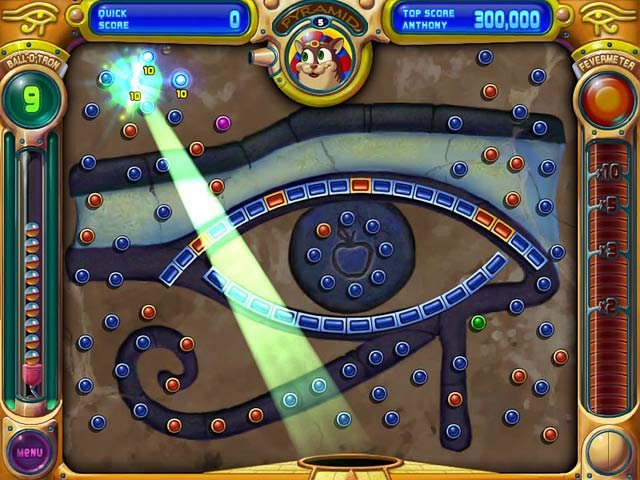
Peggle Deluxe. Take your best shot with energizing arcade fun!

Aim, shoot, clear the orange pegs, then sit back and cheer as 10 whimsical teachers guide you to Peggle greatness. Conquer 55 fanciful Peggle levels with 10 mystical Magic Powers.

Rack up bonus Peggle points and shots you'll smile about for weeks. Face off against your friends in Peggle Duel Mode, or tackle 75 extra-tricky challenges.

Peggle, it's luck and skill and joyous thrills, and amidst all this fevered action only one question remains: Can you become a Peggle Master?


Download link @ divshare:

click here to download


Password :

arkitektura


Sunday, October 14, 2007

Mechanical Engineering e-book

SMITH, Edward H. (1994):
Mechanical Engineer's Reference Book (12th ed.).
Oxford, UK: Butterworth-Heinemann. A member of the Reed Elsevier group.
ISBN: 0-7506-4218-1. 1194p

note:
First published as "Newnes Engineer's Reference Book" in 1946

Download link@divshare:
click here to download

rar password:
arkitektura

CADD Tutorial Site


About this site:

This web site has been around for about 6 years, offering the best in free online training for AutoCAD. The lessons are adapted from a 4 level course I developed for new AutoCAD users. Originally, the tutorials were deigned for Release 14 and have now been adapted for AutoCAD 2007. My approach has always been to teach the commands in their context and in a natural progression. Each tutorial also has a quiz to help students review. The older lessons for R14 and 2001 and 2005 (as well as the current 2007) are available on CD. The lessons contained on these pages have helped many people learn AutoCAD - not just here, but in schools, universities, tech colleges around the world.


Official Web Site :

http://www.we-r-here.com/cad/index.htm


Courtesy of :

Arch't. QT


Thursday, October 11, 2007

Steel Designs and Welding Details


Some Details of Structural steel framing and welding work in cadd format.

Download link:
divshare link (click here)

Rar password:
arkitektura

Courtesy of :
Arch't. QT

ACDSee Photo Manager v10.0 build 219

Description:
ACDSee - the worlds #1 digital imaging software. ACDSee Photo Manager is a comprehensive application ideal for acquiring, organizing, viewing, enhancing and sharing your images. With the image browser, you can find, organize, and preview images and media files on your computer, and you can efficiently acquire images from digital cameras, scanners, and other devices.

A full-featured image viewer and media player quickly generates high-quality displays of your images and media files. You can run slide shows, play embedded audio, and display multiple page images.

ACDSee supports over 100 image and multimedia file formats. Also, ACDSee includes a wide variety of image editing tools you can use to create, edit and touch-up your digital images.Use tools such as red-eye reduction, crop, sharpen, blur, and embos to enhance or correct your images. Image management tools, such as exposure adjustment, convert, resize, rename, and rotate, can be performed on multiple files at the same time.

The new user interface is completely customizable, and provides quick access to tools and features. You can customize the screen layout, the order of images, toolbar display, and many other options to suit your preferences. ACDSee Photo Manager is a fast, powerful, and easy-to-use image management system that everyone from novices to professionals can use and enjoy.

If you want to view, organize, find and share images quickly, ACDSee 10 is the perfect solution. Use keywords, categories and your own Windows® filing system to instantly locate the right image. Easily correct or improve those less than perfect photos. Share your favorites by email, on your free online album or as high-quality prints.

• Instant Viewing
With ACDSee, you’ll never wait for another image to open. Get instant access to your photos with the fastest viewer on the market.See your photos on a virtual calendar, fill your screen with images and quickly browse through your thumbnails. Plus, ACDSee’s Quick View mode is the fastest way to open an e-mail attachment or a file on your desktop. NEW! Mouse over your thumbnails for instant previews.

Get organized with ACDSee
With ACDSee, organize the way that works best for you. Organize your Windows® file folders, add keywords and ratings, edit your metadata, and create your own categories. Assign images to as many categories as you like without duplicating files.NEW! Use multi-word keywords like ‘Trip to Mexico’ to make finding images even easier.Stay organized with smart features that automatically import, rename and categorize your new images when your camera, iPod, camera phone, or other device is connected.Organize images stored on CDs, DVDs, and external hard drives without copying them to your computer with the time-saving PhotoDisc feature.NEW! Unzip files and start viewing and organizing archived items right away, without leaving ACDSee.

• Correct and enhance your photos
Correct common problems at the click of a button – eliminate red-eye, erase blemishes and make colors true to life. NEW! With ACDSee’s advanced red-eye tool, get natural-looking results with custom eye colors to replace red areas.Bring details back into photos that are too light or dark with ACDSee’s patent-pending Shadow/Highlights technology. It instantly corrects poorly exposed photos without affecting areas of the image that don’t require adjustments. NEW! Apply effects like blur, saturation and color to selected areas of your photos.

• Share your favorite photos
Send photos to family and friends by e-mail without worrying about resizing or switching to another application.NEW! Simplify online photo sharing with integrated uploading to sites like Flickr and Smugmug. NEW! Post a photo widget on your website or blog, powered by your free ACDSee Sendpix online album.

Design your own stunning slide shows with transition effects and sound - mix audio tracks and synch songs to slides. NEW! Create PowerPoint presentations from inside ACDSee, including notes, captions and more.

• Make home printing a breeze
With ACDSee’s print layout tools it’s easier than ever to print your photos from home. ACDSee works within your print margins and helps you print multiple 4×6 prints on a single page, fill an entire page for an 8×10, or create custom print sizes.

• Protect your photos
ACDSee helps you keep copies of your images so you don’t lose them if your computer fails. Use the Sync tool to synchronize your image folders with an external hard drive or networked drive. Or, use the Use the Database Backup feature to backup your photos and database information to CD or DVD. You can even schedule backups and reminders.

• View, browse and manage over 100 file types
Get extensive format support for audio, video and images including BMP, GIF, IFF, JPG, PCX, PNG, PSD, RAS, RSB, SGI, TGA and TIFF. Take a look at the complete list of supported file formats.

Software requirements:
* Windows® 2000, Windows® XP and Windows Vista™
* Microsoft® Internet Explorer™ 5.0.0 (6.0.0 recommended)
* Microsoft® DirectX® 9.0 - for Microsoft DirectX file format support, and to create slide shows and screen savers
* QuickTime™ 6.0 - for QuickTime file format support* Ghostscript® 8.0 - for PDF support
* Windows Media™ Player 9.0

Homepage: http://www.acdsystems.com

Download Link :

click here : ACDSee@divshare

Rar password : arkitektura

Monday, October 1, 2007

GOM player

System Requirements

Minimum

Microsoft Windows 98SE, Me, 2000, XP, 2003 or Vista
Intel-compatible CPU P3 or greater
Minimum amount of RAM recommended by the operating system in use
20MB Hard Drive Space
Some videos may require the newest version of DirectX or Windows Media Player.
Recommended settings may change according to different types of video files.

Link:

GOM player download link